Useful Tools Link
Apart from training/testing scripts, We provide lots of useful tools under the tools/ directory.
Log Analysis
tools/analysis/analyze_logs.py plots loss/pose acc curves given a training log file. Run pip install seaborn first to install the dependency.
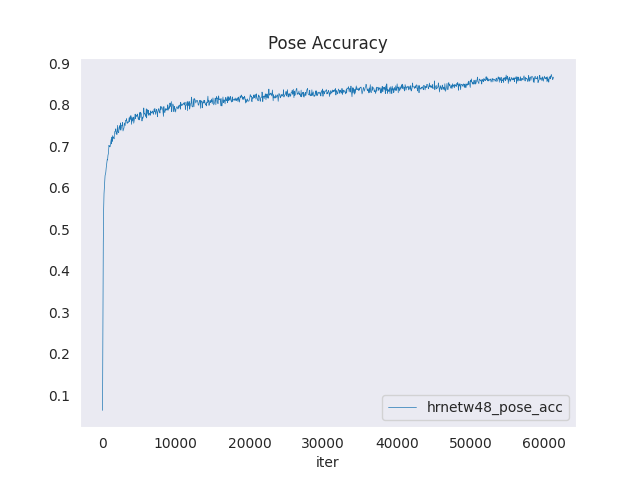 acc_curve_image
python tools/analysis/analyze_logs.py plot_curve ${JSON_LOGS} [--keys ${KEYS}] [--title ${TITLE}] [--legend ${LEGEND}] [--backend ${BACKEND}] [--style ${STYLE}] [--out ${OUT_FILE}]
Examples:
Plot the mse loss of some run.
python tools/analysis/analyze_logs.py plot_curve log.json --keys mse_loss --legend mse_loss
Plot the acc of some run, and save the figure to a pdf.
python tools/analysis/analyze_logs.py plot_curve log.json --keys acc_pose --out results.pdf
Compare the acc of two runs in the same figure.
python tools/analysis/analyze_logs.py plot_curve log1.json log2.json --keys acc_pose --legend run1 run2
You can also compute the average training speed.
python tools/analysis/analyze_logs.py cal_train_time ${JSON_LOGS} [--include-outliers]
Compute the average training speed for a config file
python tools/analysis/analyze_logs.py cal_train_time log.json
The output is expected to be like the following.
-----Analyze train time of log.json-----
slowest epoch 114, average time is 0.9662
fastest epoch 16, average time is 0.7532
time std over epochs is 0.0426
average iter time: 0.8406 s/iter
Model Complexity
/tools/analysis/get_flops.py is a script adapted from flops-counter.pytorch to compute the FLOPs and params of a given model.
python tools/analysis/get_flops.py ${CONFIG_FILE} [--shape ${INPUT_SHAPE}]
We will get the result like this
==============================
Input shape: (1, 3, 256, 192)
Flops: 8.9 GMac
Params: 28.04 M
==============================
Note: This tool is still experimental and we do not guarantee that the number is absolutely correct. You may use the result for simple comparisons, but double check it before you adopt it in technical reports or papers.
(1) FLOPs are related to the input shape while parameters are not. The default input shape is (1, 3, 340, 256) for 2D recognizer, (1, 3, 32, 340, 256) for 3D recognizer.
(2) Some operators are not counted into FLOPs like GN and custom operators. Refer to mmcv.cnn.get_model_complexity_info() for details.
Model Conversion
MMPose model to ONNX (experimental)
/tools/pytorch2onnx.py is a script to convert model to ONNX format.
It also supports comparing the output results between Pytorch and ONNX model for verification.
Run pip install onnx onnxruntime first to install the dependency.
python tools/pytorch2onnx.py $CONFIG_PATH $CHECKPOINT_PATH --shape $SHAPE --verify
Prepare a model for publishing
tools/publish_model.py helps users to prepare their model for publishing.
Before you upload a model to AWS, you may want to:
(1) convert model weights to CPU tensors. (2) delete the optimizer states. (3) compute the hash of the checkpoint file and append the hash id to the filename.
python tools/publish_model.py ${INPUT_FILENAME} ${OUTPUT_FILENAME}
E.g.,
python tools/publish_model.py work_dirs/hrnet_w32_coco_256x192/latest.pth hrnet_w32_coco_256x192
The final output filename will be hrnet_w32_coco_256x192-{hash id}_{time_stamp}.pth.